Webpage Thumbnail Creator2
Publisher Description
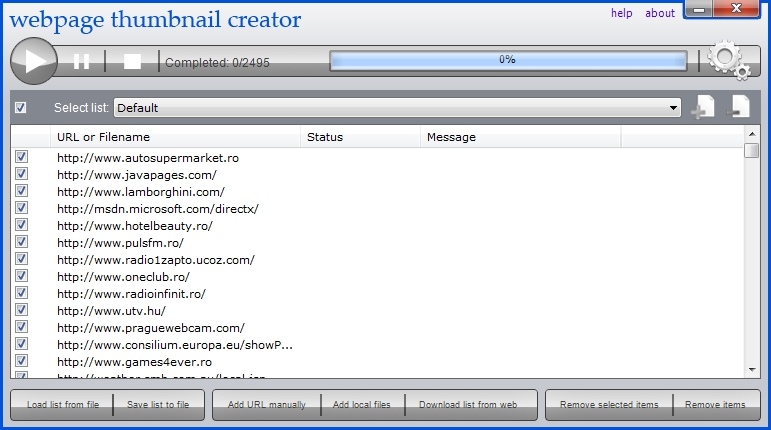
Webpage Thumbnail Creator is a software that helps you:
Convert your local HTML, MHTML or TEXT files to images.
Capture websites screenshot from any URL.
Generate thumbnails of web pages.
Get website list from a remote server
Send thumbnail list to a remote server via HTTP POST
It supports JPG, GIF, PNG and BMP image formats. It can generate thousands of images in a multi threaded batch mode without your intervention. It is as easy as to enter the list of websites, web page URLs, list from remote server or local path of your HTML or MHTML files and Webpage Thumbnail Creator will go to work creating all your images automatically.
Key Features
Convert HTML or MHTML files to images.
Capture full size screenshots of websites.
Generate webpages thumbnails.
Send thumbnails to a remote server automatically, with unlimited parameters.
Works in background, web page(s) doesn't need to be displayed or kept active to capture.
Works in multi threaded batch mode, which enables to capture multiple web pages at a time.
Supports JPG, GIF, PNG and BMP image formats.
Supports JPEG quality (compression) percent.
Supports capturing site with flash content.
Supports delayed snapshot of website.
About Webpage Thumbnail Creator
This Screen Capture program is available in English. It was last updated on 29 September, 2026. Webpage Thumbnail Creator is compatible with the following operating systems: Windows.
The company that develops Webpage Thumbnail Creator is SC Refero Group SRL. The latest version released by its developer is 2. This version was rated by 1 users of our site and has an average rating of 3.0.
The download we have available for Webpage Thumbnail Creator has a file size of 3.1 MB. Just click the green Download button above to start the downloading process. The program is listed on our website since 2011-04-16 and was downloaded 207 times. We have already checked if the download link is safe, however for your own protection we recommend that you scan the downloaded software with your antivirus. Your antivirus may detect the Webpage Thumbnail Creator as malware if the download link is broken.
How to install Webpage Thumbnail Creator on your Windows device:
- Click on the Download button on our website. This will start the download from the website of the developer.
- Once the Webpage Thumbnail Creator is downloaded click on it to start the setup process (assuming you are on a desktop computer).
- When the installation is finished you should be able to see and run the program.
Program Details
System requirements
Download information
Pricing
Version History
version 2/0
posted on 2011-04-16
-disable Script features added, disable ActiveX features added, disable Java added
